


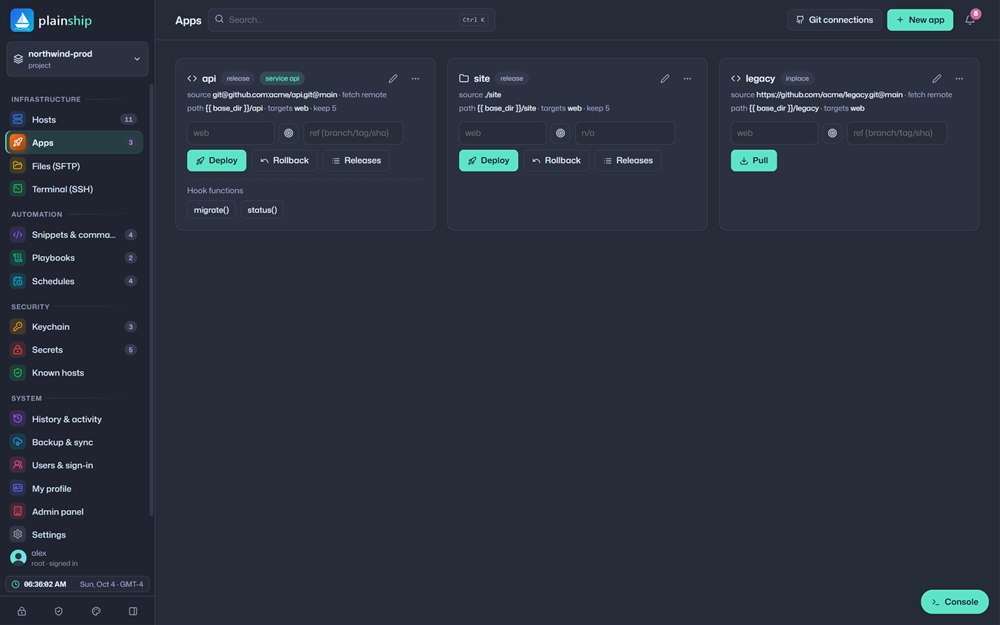
Atomic deploys with instant rollback
Every release lands in its own folder and goes live with a single symlink switch. A failed healthcheck rolls back automatically.
 New Playbook version history with diff & restore
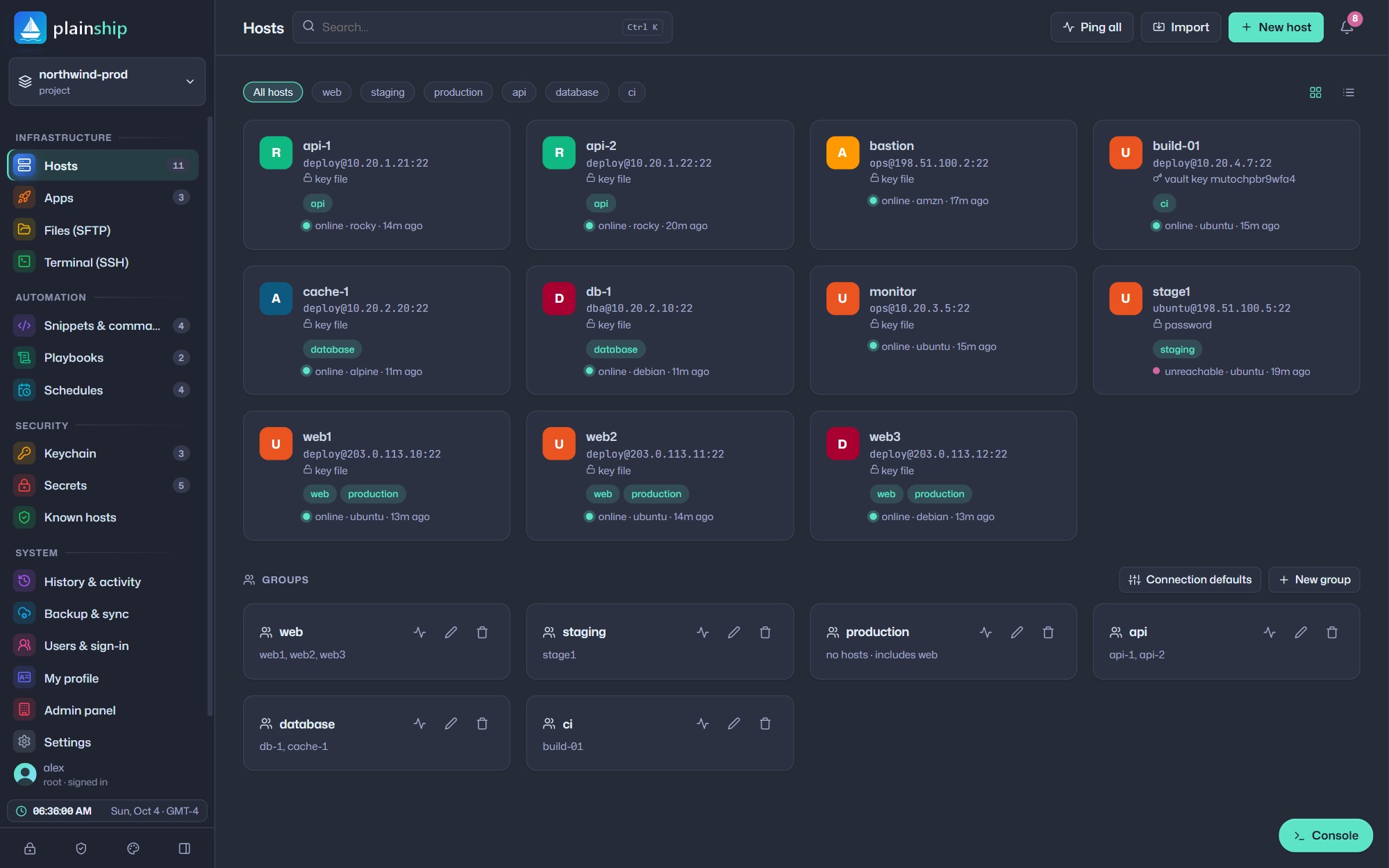
PlainShip deploys code, runs playbooks, schedules jobs and guards your keys over plain SSH. Your servers only need bash — nothing to install, nothing to babysit.
Free forever plan No credit card Ready in 60 seconds
 api · release live3 hosts · zero downtime
Works with the servers and tools you already run
 0agents to install on your servers
 17playbook modules, ready to use
 256-bitAES-GCM encryption for every secret
 1-clickrollback to any previous release
The platform
Stop juggling SSH tabs, cron files and secret spreadsheets. PlainShip brings deploys, automation and access into a single place your whole team can trust.
Every release lands in its own folder and goes live with a single symlink switch. A failed healthcheck rolls back automatically.
See what is live, what came before and go back in seconds.
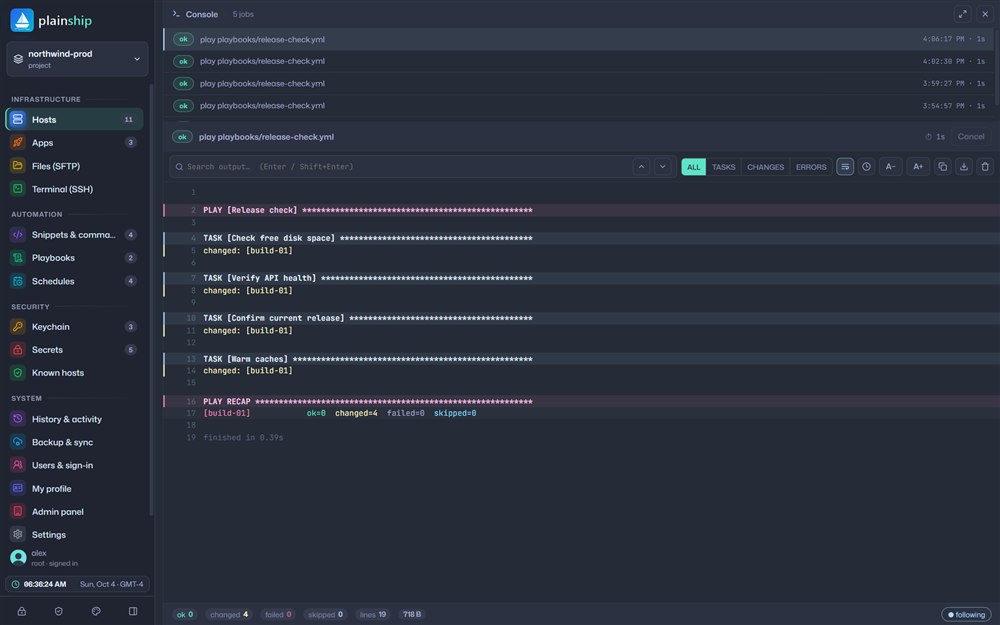
Readable YAML with loops, conditions, handlers and tags.
- name: Release check
  hosts: web
  tasks:
    - package:
        name: [nginx, git]
    - service:
        name: nginx
        state: restarted
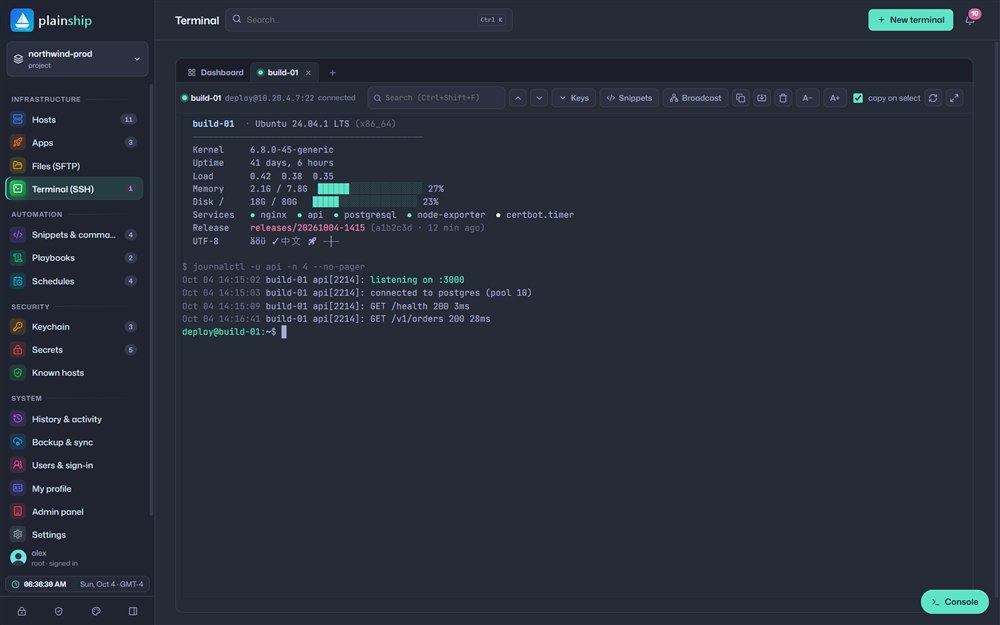
Tabs, search, colours and full-screen tools like htop and vim. Broadcast one command to every open session.
Cron for deploys, scripts, playbooks and health checks.
0 3 * * *Nightly backup*/15 * * * *Health check30 9 * * 1-5Release checkSSH keys, passwords and tokens sealed with AES-256-GCM. Use them anywhere as {{ NAME }} — never in plain text.
Organizations, roles and private workspaces. Share projects with operators, editors or viewers — and see every action in the activity log.
How it works
No agents to roll out, no cluster to build. If you can SSH into it, PlainShip can ship to it.
Enter an address or import your ~/.ssh/config. Generate a key and install it on every host with one click.
Point an app at a Git branch or folder, write a playbook or save a script. PlainShip validates as you type.
Deploy, run or schedule it. Watch live output, get notified on finish and roll back if anything looks wrong.
# connectivity + bash / git / systemd / sudo check
$ plainship ping -t all
# run one command on a group
$ plainship exec "uptime" -t web
# provision servers with a playbook
$ plainship play playbooks/setup.yml
# ship a release — and undo it if you need to
$ plainship deploy api
$ plainship rollback api
apps:
  api:
    targets: web
    deploy_path: /var/www/api
    keep_releases: 5
    source: { type: git, repo: https://github.com/acme/api.git, ref: main }
    shared: { dirs: [storage, logs] }
    commands:
      install: npm ci --omit=dev
      build: npm run build
    service: { exec: node dist/server.js, user: deploy }
    healthcheck: { url: http://127.0.0.1:3000/health, retries: 10 }
    rollback_on_failure: true
Deploy
Ship from GitHub, GitLab, Bitbucket, Gitea or a local folder. Every deploy is atomic, so users never see a half-updated app.
.env survive every release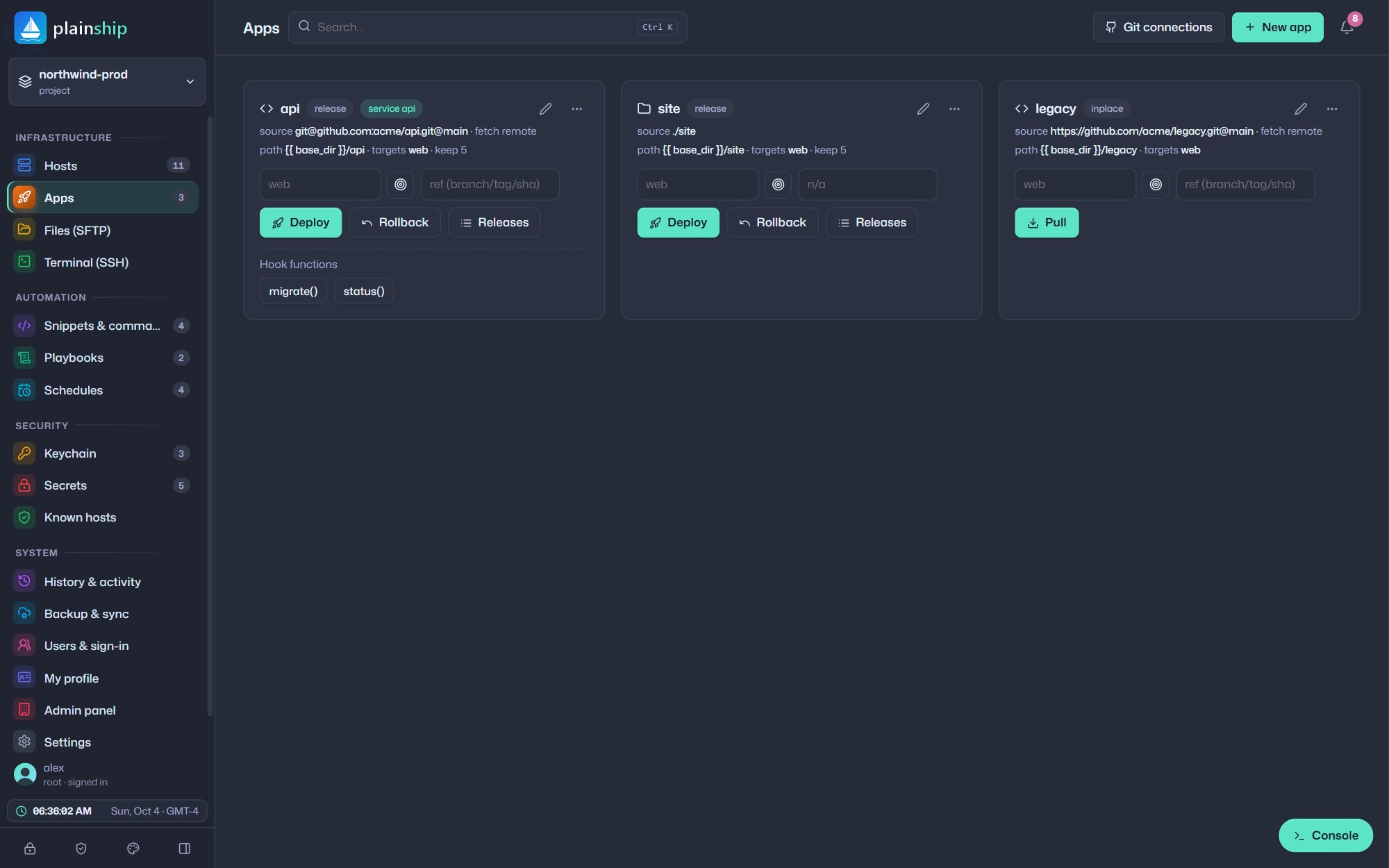
Automate
Write tasks in plain YAML, try them with a dry run, then schedule them. Every save is versioned, so you can compare and restore any change.
{{ variables }} asked at run time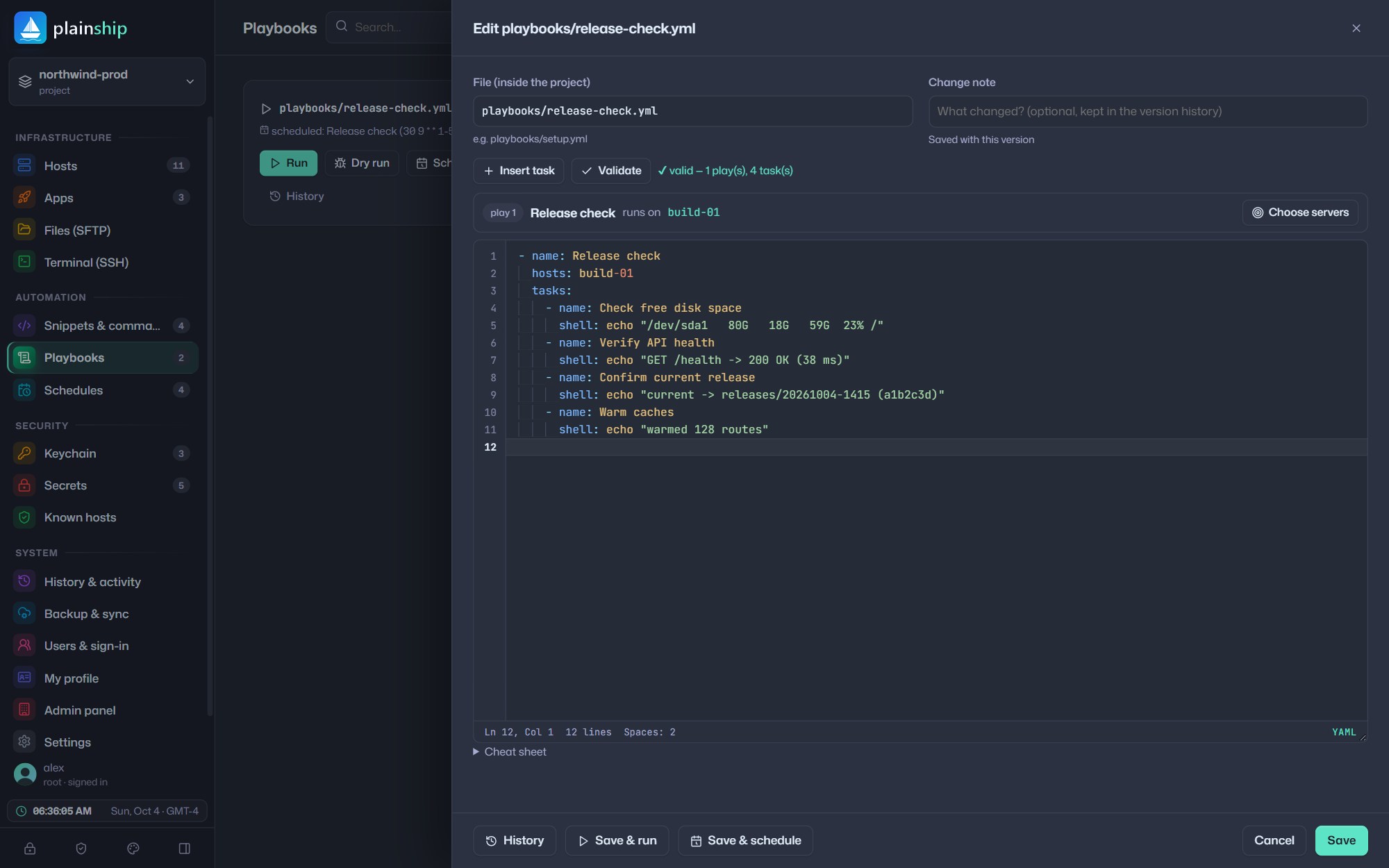
Who it is for
From a single VPS to a fleet across clouds, PlainShip scales with you — without the complexity tax.

 DevOps teams
Target web, staging or production — or exclude one host with !web2.
Read more
 Agencies
Separate hosts, apps, playbooks and secrets for every account.
Read more Startups
Point at a repository, pick a branch and press Deploy.
Read more
 IT operations
Cron jobs with presets, next-run previews and last status.
Read moreWhy agentless
Agents need updates, ports and monitoring of their own. PlainShip uses the SSH you already trust.
| What you get | PlainShip | Agent-based tools | Hand-written scripts |
|---|---|---|---|
| Software on your servers | Nothing — just SSH and bash | Agent on every host | Scripts copied around |
| Visual dashboard | Included | Often a paid add-on | None |
| Rollback | One click, automatic on failure | Varies | Manual |
| Secrets | AES-256-GCM vault | Separate product | .env files |
| Time to first deploy | Minutes | Days | Hours, every time |

Security by default
Every account gets a private, encrypted workspace. Administrators see project names and sizes — never your code, keys or secrets.
Mobile app

Download the PlainShip app for iPhone and Android to start managing your servers from your phone. Deploy, roll back and check every host — wherever you are.
Pricing
Start free with deployments, the terminal and the vault. Pro adds scheduled automation and removes the limits.

For side projects and trying things out.
For teams that ship every day.

For companies that keep everything in-house.
Prices in USD. Taxes may apply. Cancel any time — your data stays yours.
FAQ
PlainShip connects to your servers over standard SSH and runs small bash scripts. Nothing is installed on the server, so there is no daemon to update, monitor or secure.
Only SSH access and bash. Git, systemd and sudo are used when a feature needs them, and a single ping shows what each server supports.
Yes. Connect GitHub, GitLab, Bitbucket, Gitea, Forgejo or any HTTPS Git server with a token. Tokens stay encrypted in your vault and never appear in a command line.
Yes. The Free plan is free forever and includes deployments, the terminal, SFTP and the encrypted vault. Pro adds cron schedules and removes all limits for $19 per month.
PlainShip speaks a familiar, Ansible-style YAML but adds what Ansible leaves to you: a visual dashboard, atomic releases with rollback, a browser terminal, schedules, a secrets vault and team accounts.