

 Security
The keys to your servers deserve a vault
PlainShip holds the most sensitive things you own: SSH keys and production secrets. Here is exactly how we protect them.
- AES-256-GCM
- 2FA
- Audit log
-
01
Encrypted vault
SSH keys, passwords and tokens are encrypted one by one with AES-256-GCM. Your vault opens with your account password — there is no separate master secret to leak.
-
02
Strong sign-in
Passwords are hashed with scrypt, sessions are stored only as SHA-256 hashes, and two-factor authentication works with any authenticator app.
-
03
Private workspaces
Every account has its own data folder. The server refuses any path into another account, and administrators see project names and sizes only — never contents.
-
04
Full audit trail
Sign-ins, lock and unlock, every dashboard change, terminal sessions, jobs and backups are recorded and exportable as CSV or JSON.
-
05
Encrypted backups
Backups are sealed with AES-256-GCM using a PBKDF2 key with 600,000 iterations, then sent to a folder, S3, Google Drive, OneDrive, WebDAV or a GitHub Gist.
-
06
Safe by design
Strict host-key checking by default, Git tokens passed over the SSH channel instead of command lines, and secrets masked as ******** in every log.
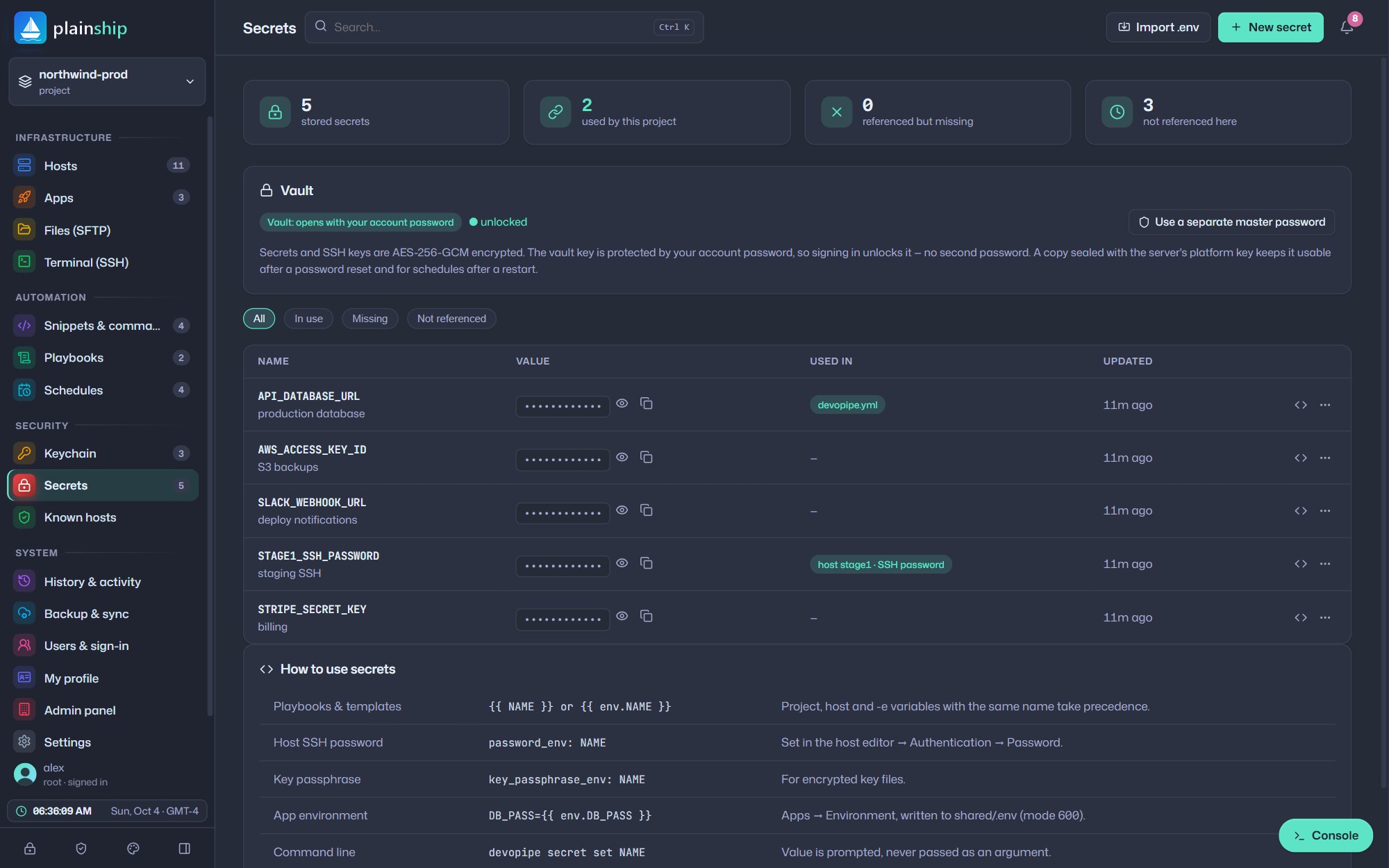
Secrets manager
See where every secret is used
Reference secrets as {{ NAME }} in hosts, apps and playbooks. PlainShip shows where each one is used and warns you about missing ones before a run fails.
- Import an existing
.envfile in seconds - Reveal for 20 seconds, then hidden again
- Auto-lock after inactivity and Ctrl+L to lock now
- Child processes receive keys, never your password
Privacy & GDPR
Your data, your rights 
PlainShip was built with data protection in mind, from the first line of code.

Download your data
Export your projects, settings and personal data at any time, in open formats.

Delete your account
Remove your account and everything in it yourself, straight from the dashboard.

Telemetry you control
Usage data is optional. Turn “Share usage data” off in your profile with one switch.

Responsible disclosure
Found a vulnerability? 
We take every report seriously and respond quickly. Please email us privately with the details and give us a chance to fix it before sharing.