About PlainShip
Plain tools
for people
who ship.
PlainShip is a dashboard for the server work you already do over SSH: ship a release, run a playbook, open a shell and keep secrets in one place.
Built for DevOps teams, agencies and anyone on call

The work starts with the servers you already run.No new platform to learn before the first deploy.
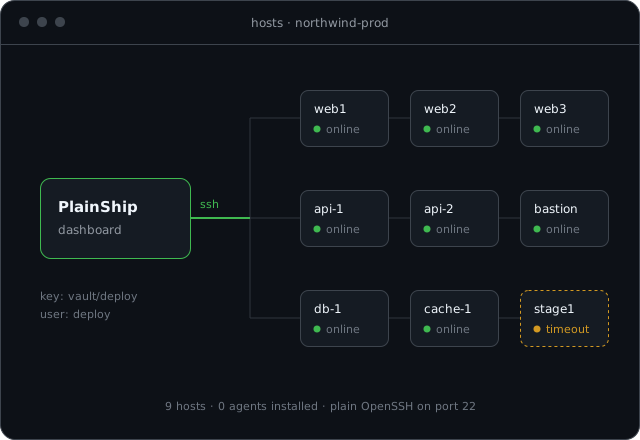
- AgentlessConnect with the SSH account you already use. Nothing is installed on the host.
- Bash is enoughServers need SSH and bash. Git, systemd and sudo are used only when a job asks for them.
- AES-256 vaultKeys, tokens and passwords stay encrypted. Jobs receive them as variables, never on a command line.
- Free, then ProDeploy, open a shell and use the vault on the free plan. Pro adds schedules and removes the limits.
Our story
Infrastructure got complicated. We kept the path to production plain.
Most teams do not need another agent on every host. They need a reliable way to push code, run the same task on twenty servers and see who changed what.
SSH and bash already do the hard work. PlainShip gives them a home: atomic releases with rollback, YAML playbooks, a browser terminal, cron schedules and an encrypted vault.
Hosted Free covers a real project. Pro is one monthly price for the whole organization, not a fee per server, per job or per minute. The product is offered as a hosted dashboard at app.plainship.dev.
Inside the product
The same screens your team uses every day
These are the places the daily work actually happens. Open any of them from the dashboard after the first host is online.
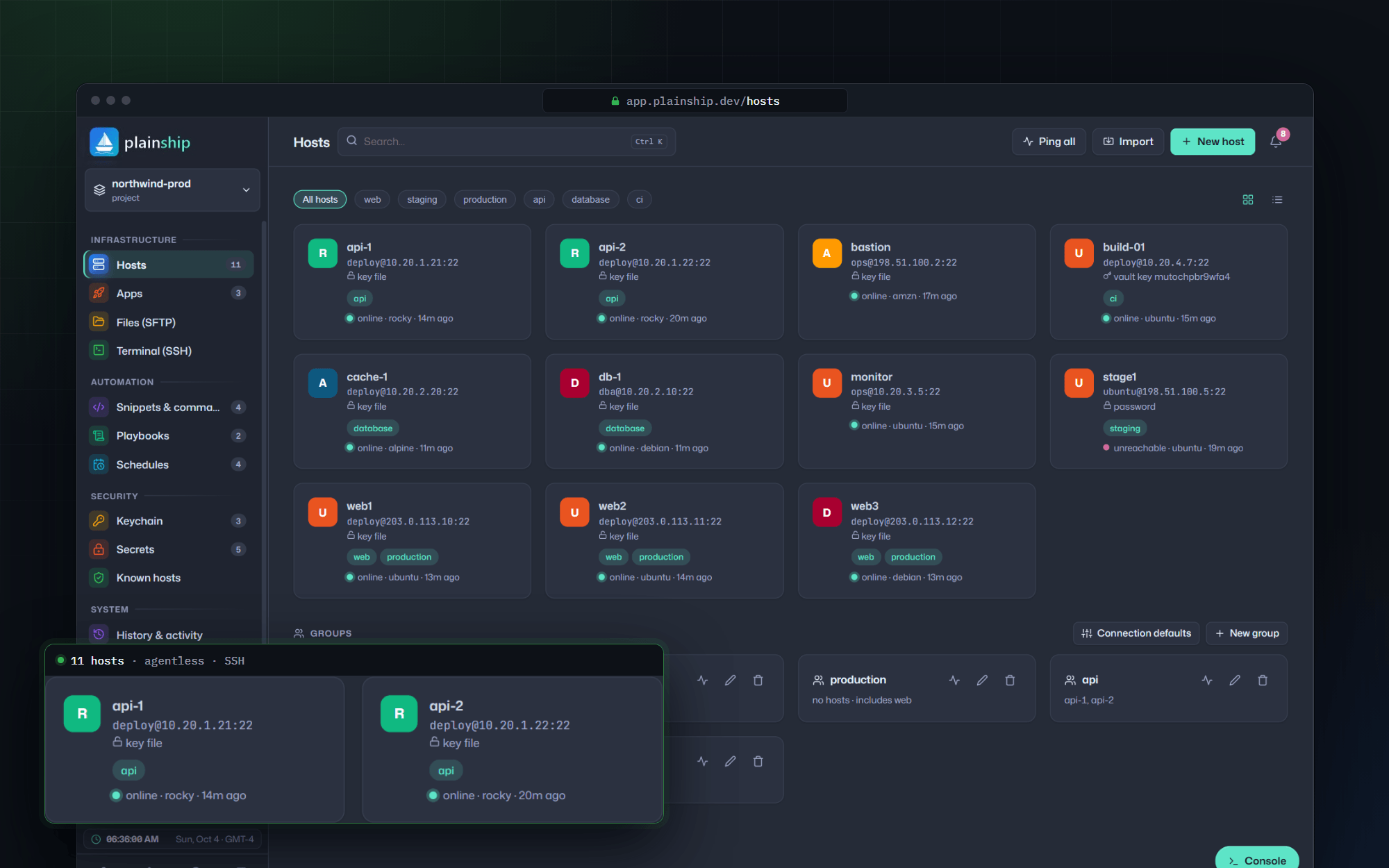
Every host in one list
Addresses, groups, tags and the last check, without a pile of SSH tabs.
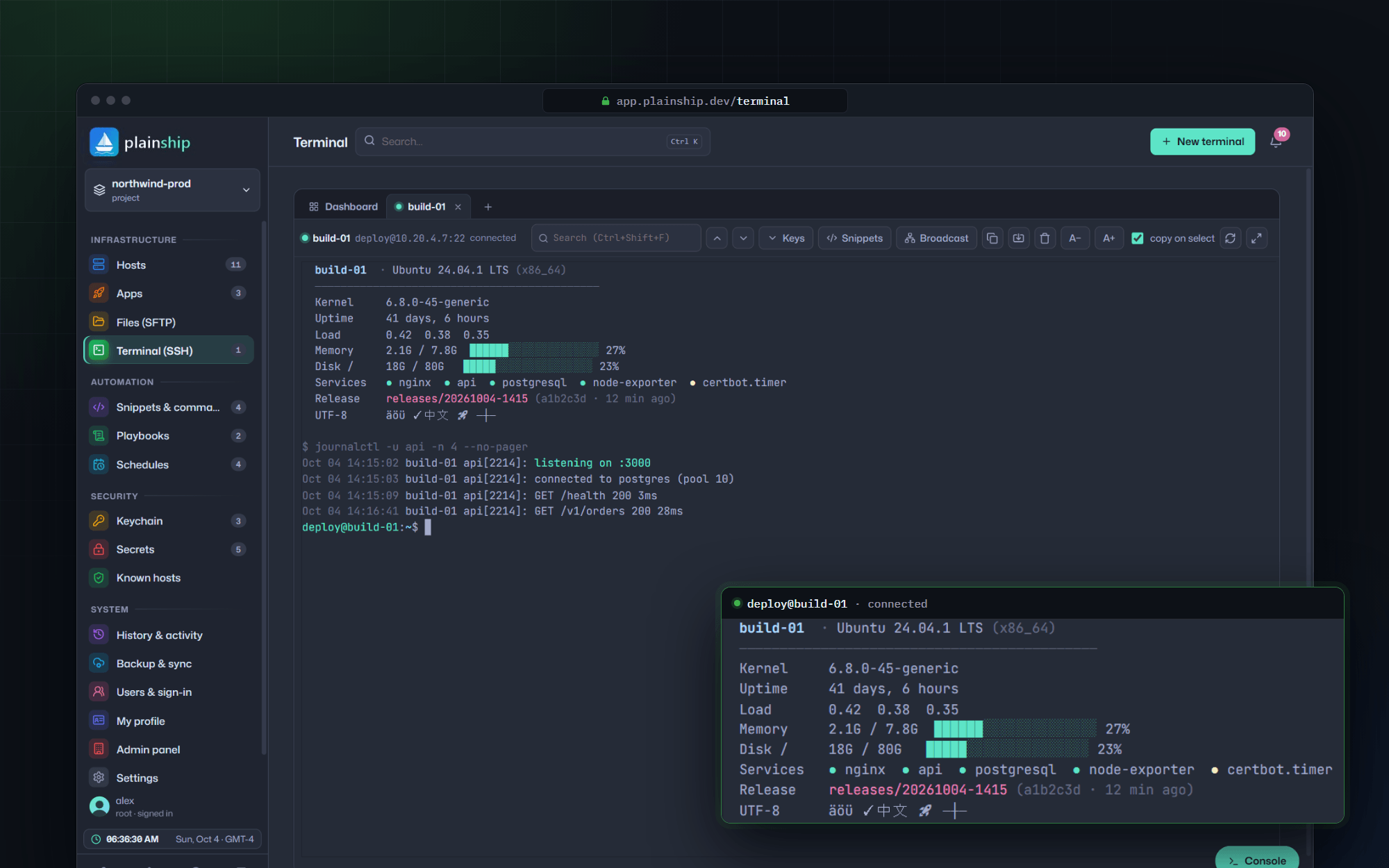
A real shell in the browser
Colours, tabs and tools like htop and vim, opened from the host you already trust.
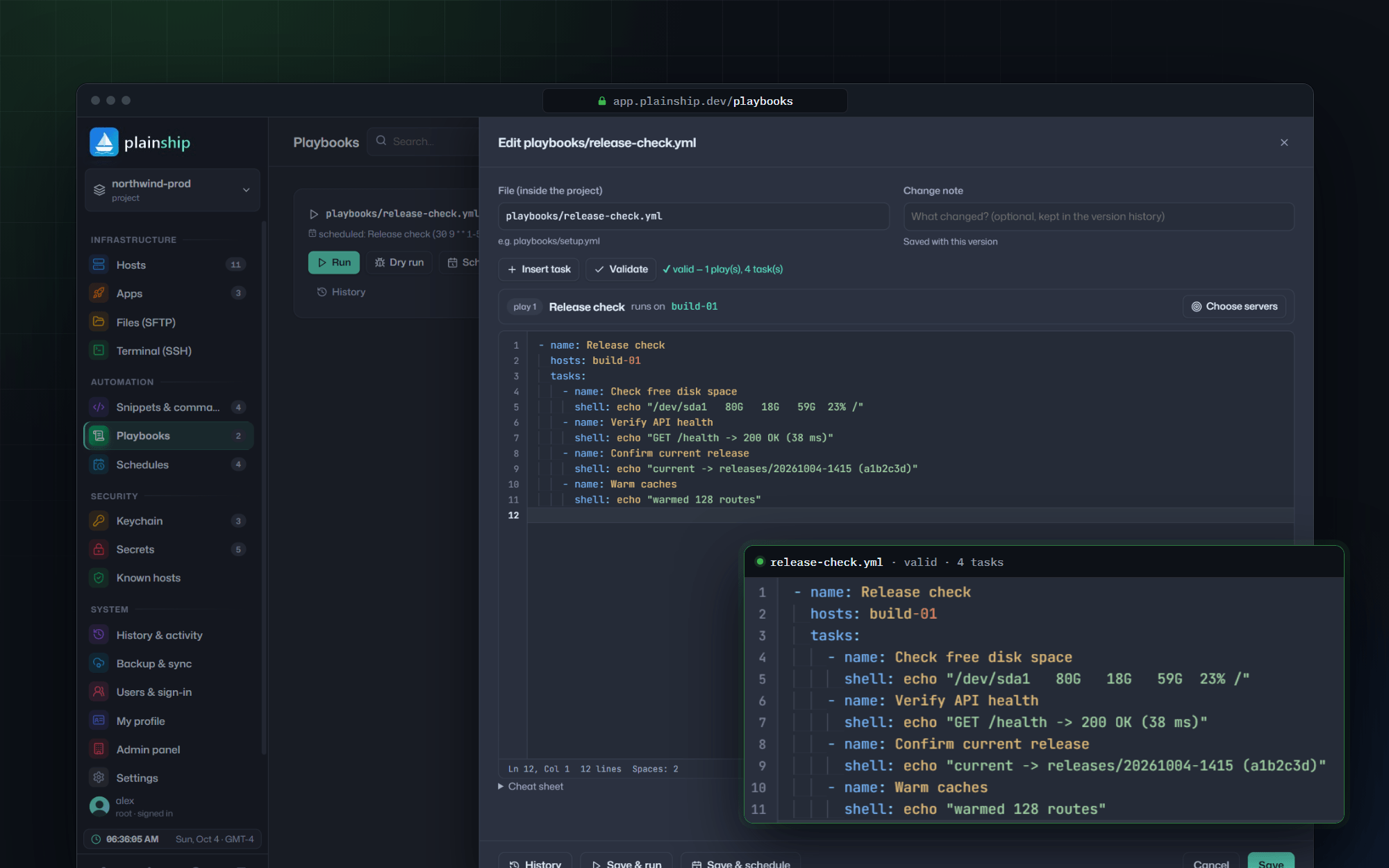
Playbooks you can read
YAML tasks, a dry run first, then a full log of what changed on each server.
What we believe
Four principles behind every feature
- 01
Plain over clever
Deploys, playbooks and schedules should be obvious on the first visit. If a feature needs a manual to explain it, we simplify it until it doesn’t.
- 02
Nothing on your servers
PlainShip connects over SSH and runs bash. No agent, daemon or open port is added, so your servers stay exactly how you built them.
- 03
Your keys, your data
SSH keys, tokens and passwords stay in an AES-256-GCM vault. Workspaces are private, and you can export or delete everything.
- 04
Calm by default
Live output, one-click rollback and notifications that stay quiet until a job fails. The dashboard shows what shipped, not a wall of noise.
Built for real work
From a desk, a café, or the rack in the corner
The same account follows you. Ship a release at your desk, check a failed job from a laptop, or point PlainShip at hardware you keep in-house.


How it fits
One dashboard, every host, zero agents
PlainShip sits next to the servers you already run. It reaches them over plain OpenSSH with keys from the vault, does the job and leaves nothing behind.
Explore the features