
Case study
Scattered crontabs to one schedule list
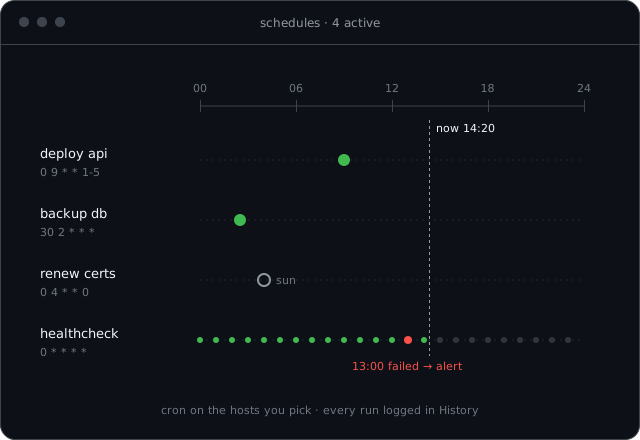
An internal IT team moved backups, certificate renewals and health checks from crontabs on many servers into visible PlainShip schedules with logs and alerts.
Context
This composite story reflects IT operations teams that look after a mix of internal Linux servers: file shares, a few web apps, backup targets and some machines nobody wants to touch.
Over the years, important jobs had been added to crontabs on whichever server was convenient. Each worked, until one quietly stopped and nobody noticed for weeks.
Before
An audit asked a simple question: which jobs run every night, and did they succeed last week? Answering it took two days of SSH sessions.
- Backups and renewals spread across crontabs on many servers
- Failures went to a local mailbox no one read
- No single list of what runs where, or when
- Changing a schedule meant SSH, crontab -e and hoping for no typos
Why PlainShip
The team liked that PlainShip runs the same shell commands they already trusted, so moving a job did not mean rewriting it.
- Schedules live in one list with the next runs previewed
- Every run keeps its full log in History
- Failed jobs alert in Slack instead of a local mailbox
- Nothing to install on the older servers — SSH and bash were already there
Setup on app.plainship.dev
- 01
Added all servers and grouped them by role
- 02
Recreated each crontab entry as a PlainShip schedule, starting with backups
- 03
Removed the old crontab line once two scheduled runs succeeded
- 04
Shared read-only access with the auditors through roles
Moving jobs one at a time meant there was never a night without backups. The old crontabs shrank week by week until they were empty.
After
- 1 listFor every scheduled job across servers
- Every runLogged with output in History
- MinutesTo answer the audit question
The next audit question was answered with a link to the schedules page and the History filter.
What we learned
- A job you cannot see is a job you cannot trust.
- Migrate scheduled jobs one at a time and keep the old one until two runs succeed.
- Send failures where people already look, not to a local mailbox.
“The jobs did not change. What changed is that we can finally see them.”